Assign SIM to Steering Tree
To assign a SIM to a steering tree, do these steps:
- Select SIMs from the sidebar menu. The SIMs table is displayed.
- Scroll the SIM table and click the Actions control for a specific row.
- Select the Manage Steeringoption to display the steering tree dialog box.
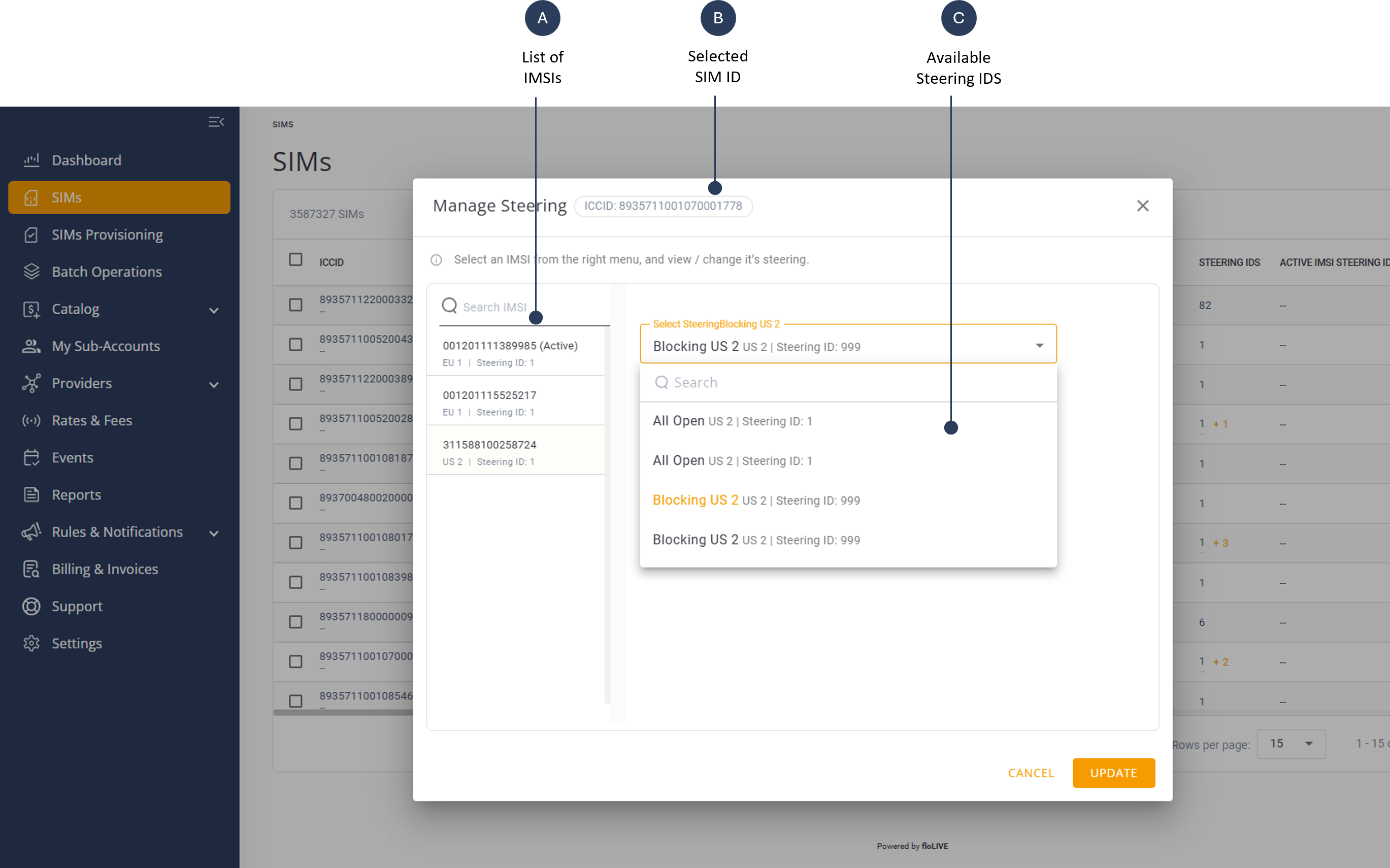
- Select an IMSI displayed n the left panel of Steering settings.
- Select a Steering ID from the list displayed in the right panel.
- Click Update to assign SIM to selected Steering ID
TIP: You can also display the Manage Settings by accessing the Manage Steering tab on the SIM Details page.
The Manage Steering Settings are shown here: